Helpdesk Software in 2026: What It Does and What It Really Costs
 Converge Team
Helpdesk software turns scattered customer messages into tracked, assignable tickets in one queue. The part every buying guide gets wrong is the price. We opened five vendors' live pricing pages on 28 August 2026 and reconciled them below — and every headline seat price is now only part of the bill, because AI resolutions are metered separately.
This page covers what helpdesk software actually does, the current per-agent prices with the caveats vendors bury in footnotes, the new AI metering layer that changed budgeting in 2026, and who should skip this category entirely.
What is helpdesk software?
Helpdesk software collects customer requests from every channel into a single queue and gives each one a status, an owner and a history. An email arrives, an Instagram DM arrives, someone messages on WhatsApp — each becomes a ticket rather than a notification somebody may or may not have seen.
That single change is what the category sells. Without it, "did anyone reply to this?" is answered by asking around. With it, the answer is a field on a record. Everything else — automation, SLA timers, knowledge bases, reporting — is built on top of that one primitive.
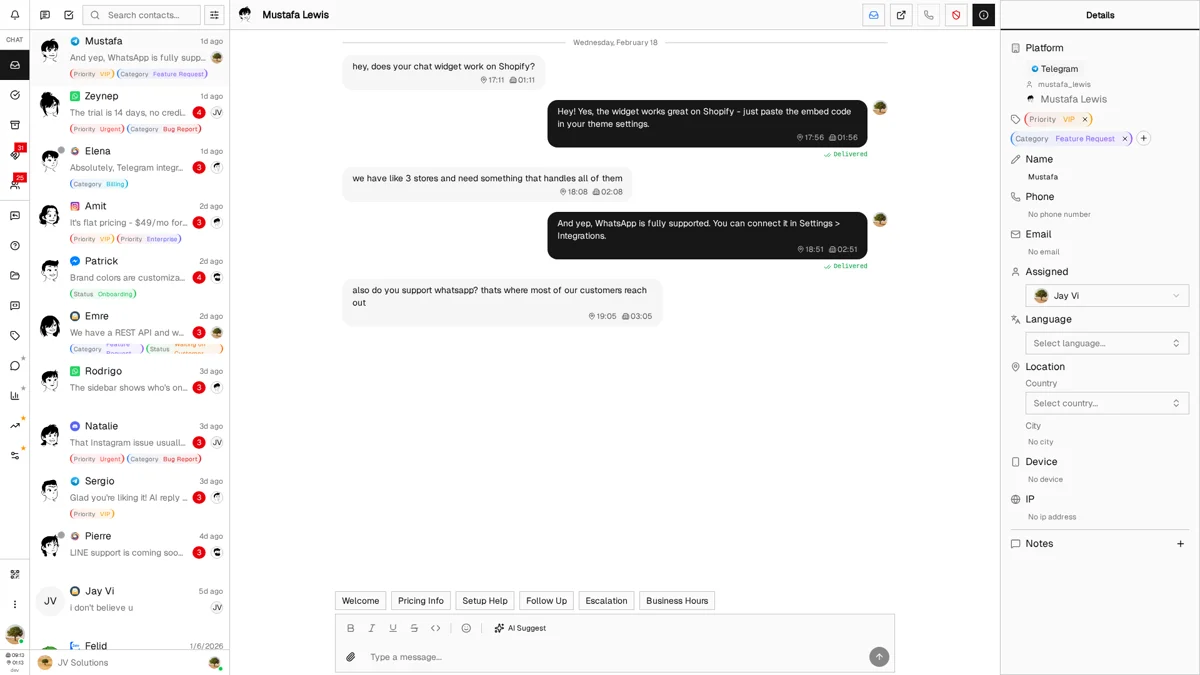
What separates a 2026 platform from a 2015 ticket system is where the messages come from and who writes the first draft: native messaging channels instead of email-only intake, and an AI layer that answers or triages before a human opens the ticket.
What does helpdesk software actually cost in 2026?
Helpdesk software costs $7 to $115 per agent per month on annual billing, depending far more on which tier carries the channel you need than on which vendor you pick. Every figure below was read off the vendor's own live pricing page on 28 August 2026.
| Platform | Entry tier | Mid tier | What the entry tier leaves out |
|---|---|---|---|
| Zoho Desk | $7 Express | $23 Professional | Messaging apps start at Standard ($14). Free edition caps at 3 users. |
| Zendesk | $19 Support Team | $55 Suite Team | Support Team is email and ticketing only; messaging and live chat need Suite. |
| Help Scout | $25 Standard | $45 Plus | Standard caps at 25 users, 2 inboxes, one basic SLA policy. |
| Intercom | $29 Essential | $85 Advanced | Workflows, multiple inboxes and round-robin routing are Advanced-only. |
| Freshdesk | $19 Growth | $55 Pro | Multilingual, custom dashboards, routing and multiple SLAs are Pro-only. |
| Converge | $49/month flat, up to 15 agents | Flat rate rather than per seat; no per-resolution AI fee. | |
All per-agent figures are annual billing, the number vendors advertise. Monthly billing runs higher — Intercom's Essential, for example, is $39 monthly against $29 annual. None of these figures include AI usage.
Why is the seat price no longer the real price?
Because in 2026 the seat price stopped covering the work. Four of the five vendors above moved the marginal cost of answering a customer off the seat and onto AI resolution volume, each with a different unit. Two teams paying for the same number of seats can now receive materially different invoices.
| Platform | AI billing unit | What it means for you |
|---|---|---|
| Intercom | $0.99 per Fin outcome | No charge when Fin escalates, when the customer asks for a human, or when Fin detects frustration. |
| Help Scout | $0.75 per AI Answers resolution | Not counted if the customer asks again or clicks "I still need help". Monthly spend cap available. |
| Freshdesk | $49 per 100 Freddy sessions | 500 sessions included once per account, not per month. A session is a 72-hour window, not a message. |
| Zendesk | Automated resolution tiers | Since 18 May 2026, only a Verified resolution draws from your allowance. Assisted escalations are free. |
| Zoho Desk | Bring your own key | Connect an OpenAI or DeepSeek key from Express upward; you pay the model provider directly. |
Read the second column carefully before you build a business case on deflection. On a per-resolution model, a knowledge base that works better raises your bill — which is the opposite of the incentive most teams assume they are buying.
When do you actually outgrow a shared inbox?
You outgrow a shared inbox at the point where answering a question about your own support becomes archaeology. The volume number matters less than these six symptoms:
Signals you have outgrown it
- Two agents replied to the same customer this week
- A second channel appeared and nobody owns it
- "What did we tell this customer last month?" takes minutes
- You cannot state your median first-response time
- Onboarding a new agent means handing over a stale doc
- Something was missed and a customer said so publicly
What the helpdesk changes
- Assignment and conversation locking prevent double replies
- All channels land in one queue with one status field
- Full history opens with the ticket
- Response-time figures come from data, not memory
- Saved replies show new agents what good looks like
- Nothing sits unowned long enough to become a complaint
The honest trigger: most teams switch after the first miss becomes visible outside the company. If none of the six signals apply to you yet, a shared inbox is still the cheaper correct answer.
Which type of helpdesk software fits your team?
Four types of helpdesk software exist, and the right one is decided by where your customers message you and who maintains your servers:
Cloud-based (SaaS)
Sign up, connect your channels, start replying. No servers, automatic updates, works from any browser. This is the right answer unless you have a specific reason for the alternatives below.
Best for: Teams that want to be running this week rather than next quarter.
Examples: Zendesk, Freshdesk, Intercom, Help Scout
On-premise / self-hosted
You install it on your own servers. Full control over data, full responsibility for uptime, patches and backups. Assumes dedicated IT staff who already do this for other systems.
Best for: Regulated industries with data residency requirements, or enterprises with existing infrastructure.
Examples: Jira Service Management (Data Center), osTicket, Request Tracker
Open source
Free licence, full source access, and you own setup, hosting and maintenance. Check the licence carefully — several projects are open core, with SSO, SLA policies and AI held behind a paid enterprise directory.
Best for: Technical teams with developer time to trade against licence cost.
Examples: Chatwoot, Zammad, FreeScout, UVdesk
Messaging-first
Built around real-time messaging (WhatsApp, Telegram, Instagram) rather than email tickets. The interface reads like a chat app, not a ticket form, and channel coverage is the headline feature rather than an add-on.
Best for: E-commerce, D2C and any team whose customers never send email.
Examples: JivoChat, MessageBird, Respond.io, Trengo, Front
The real fork: traditional ticket-first tools (Zendesk, Freshdesk) versus messaging-first platforms. That choice follows your customers, not your preferences. Messaging-first vendors price differently too — see the JivoChat pricing breakdown for a per-agent example and MessageBird pricing for a per-seat-plus-usage one. If per-conversation pricing is the sticking point, compare the best Trengo alternatives before committing.
Which helpdesk features actually matter?
The helpdesk features that matter are the ones you touch dozens of times a day. Vendor feature lists run to hundreds of rows; this is the order that survives contact with a real queue.
Non-negotiable
A unified inbox removes the tab-switching that makes agents slow. Ticket management — status, assignment, SLA timers — is the foundation everything else builds on. Saved replies are the single largest lever on throughput for repetitive queues. Search sounds trivial until you need last quarter's answer to a question a customer just repeated.
Expected, but check the tier
These are where tier gates bite. Freshdesk holds intelligent routing and multiple SLA policies for Pro at $55. Intercom holds workflows and round-robin for Advanced at $85. Help Scout gives Standard one basic SLA policy and 150 basic workflows. Price the tier that carries the feature you named, then re-check whether the vendor is still cheaper than the one you rejected.
Enterprise-only
How do you choose helpdesk software without getting burned?
You choose helpdesk software by pricing your actual configuration, not the headline tier. With 58+ platforms in the market, this four-step order eliminates most of them before you sit through a demo:
Start with your channels, not features
Channel support is the constraint that eliminates vendors fastest, and it is tier-gated everywhere. Zoho Desk's messaging apps start at Standard, not the $7 Express tier; Zendesk's messaging lives in Suite, not standalone Support.
- List where 80% of your conversations actually happen
- Find the cheapest tier that carries every one of them
- Add the platform fees underneath, such as Meta's WhatsApp conversation charges
Price seats and AI as two separate lines
Since 2026 these are different budgets with different growth curves. Seats grow with headcount; AI resolutions grow with ticket volume, which is the thing you are trying to grow.
- Seats at your current team size, on the tier that carries your channels
- Seats again at double the team — growth should not require re-procurement
- AI at your realistic monthly resolution count, at the vendor's per-unit rate
- Ask whether a spend cap exists, and whether it pauses the AI or bills overage
Use the trial on real conversations
A demo shows you the configured happy path. Connect one live channel and work a real day instead — the friction shows up in repetition, not in the walkthrough.
- How many clicks to answer a simple question?
- Can you find last week's conversation in under ten seconds?
- Do the agents who will live in it actually like it?
Check the exit before you enter
Export quality varies enormously and is invisible until you need it. Some vendors return message text; others return metadata and IDs that nobody can read without a second export to join against.
- Does the export include message bodies, or only ticket metadata?
- Is it self-serve, or do you have to email support and wait?
- What happens to your data after cancellation, and how long do you have?
Questions worth asking on the sales call
- • "Total for [X] agents on the tier that includes WhatsApp, email and Instagram?"
- • "What is your per-resolution AI rate, and what counts as a resolution?"
- • "What is the included AI allowance — per month, or once per account?"
- • "Can we cap AI spend, and does hitting the cap pause the AI or bill overage?"
- • "What exactly does the conversation export contain, and how do we request it?"
Who should not buy helpdesk software?
Three groups should not buy helpdesk software, and one should avoid a specific pricing model. Naming them is more useful than another feature list, because the wrong purchase here is expensive to unwind.
-
Solo founders on email only
If one person answers everything and it all arrives by email, a mailbox with labels is genuinely better. Zoho Desk's Free edition (3 users) or Help Scout's Free plan (5 users, 1 inbox) cover the step after that without a contract. Buy the paid tier when a second channel appears, not before.
-
Teams buying it to fix a staffing problem
Software makes an understaffed queue visible; it does not make it smaller. If the backlog is a headcount or scheduling problem, a helpdesk turns it into a well-instrumented backlog and you have spent money to feel worse about it.
-
Anyone who needs a CRM instead
If the real requirement is pipeline, deal stages and outbound sequences, a helpdesk is the wrong shape. Ticket status is not a sales stage, and forcing it to be one produces a system neither team trusts.
-
High-deflection teams should avoid per-resolution AI pricing
If your knowledge base already resolves a large share of contacts, per-resolution billing charges you most exactly where you have invested most. At $0.99 per Fin outcome or $0.75 per AI Answers resolution, a successful deflection programme becomes a growing invoice. Look at included allowances, spend caps, bring-your-own-key models, or flat rates instead. Converge sits in that last group at $49/month flat for up to 15 agents with AI suggestions included.
Where can you compare specific helpdesk platforms?
Specific helpdesk platforms are broken down individually across 58+ vendor pages here, each with the vendor's current pricing and the caveats attached to it:
Popular Comparisons
Frequently Asked Questions
Checked on vendor pricing pages 28 August 2026, per agent per month on annual billing: Zoho Desk Express $7, Zoho Desk Standard $14, Zendesk Support Team $19, Freshdesk Growth $19, Help Scout Standard $25, Intercom Essential $29, Zendesk Suite Team $55, Freshdesk Pro $55, Zendesk Suite Professional $115. A 5-agent team on Zendesk Suite Team therefore pays $275/month before AI usage. Those figures are the seat line only — every one of those vendors bills AI resolutions separately once the included allowance runs out.
No. As of August 2026 the five best-known vendors all meter AI separately from seats. Intercom charges $0.99 per Fin outcome. Help Scout charges $0.75 per AI Answers resolution. Freshdesk includes 500 Freddy AI Agent sessions once per account, then $49 per 100 sessions. Zendesk grants an allowance and draws only Verified resolutions from it. Zoho Desk is the outlier: Express and above let you bring your own OpenAI or DeepSeek key. So two teams on identical seat counts can get very different invoices.
Only as a trial. Zoho Desk's Free edition gives 3 users and email ticketing, but instant messaging (WhatsApp, Instagram, Messenger, Telegram, WeChat, Line) starts on Standard at $14/user/month. Help Scout's Free plan gives 5 users, 1 inbox, 1 Docs site, 10 saved replies, 10 tags and 100 contacts per month. Both are genuinely usable for a solo founder answering email. Neither covers a team that has customers on messaging apps, which is the exact reason most teams start shopping.
Most can, but rarely on the entry tier. Help Scout puts WhatsApp, Instagram and Messenger on Standard at $25/user/month. Zoho Desk puts instant messaging on Standard at $14/user/month, not on the $7 Express tier. Zendesk routes third-party messaging through its Suite plans rather than standalone Support. You will also need a WhatsApp Business API account, and Meta's own per-conversation fees sit underneath whatever your helpdesk charges. Price the tier that actually carries the channel, not the headline tier.
Different jobs. A CRM (Salesforce, HubSpot) owns the customer relationship — pipeline, campaigns, contact records. Helpdesk software owns the request: tickets, conversations, response times, resolution. The CRM is the permanent record; the helpdesk is the tool for handling what the customer asked for today. Most companies run both and connect them so agents see account context inside the ticket. If you are choosing only one and your revenue motion is inbound support rather than outbound sales, start with the helpdesk.
A shared inbox is several people working one mailbox — support@company.com in Front, Missive or Help Scout's Free plan. Helpdesk software adds structure on top: status workflows, assignment, SLA timers, reporting, a knowledge base and channels beyond email. Shared inboxes are the right answer for a two-person team on email only. The switch usually happens when a second channel appears or when someone asks a question you cannot answer from the mailbox, such as median first-response time by channel last month.
For a cloud platform with 3-5 agents: 1-3 days to connect email, invite the team and write a handful of saved replies. One to two weeks to be genuinely operational — templates, routing rules, working hours, a first pass at the knowledge base. Enterprise deployments with SSO, custom integrations and historical data migration run 1-3 months, and the migration is almost always the long pole. Ask the vendor what their conversation export actually contains before you commit, not after.
Not in the 2026 pricing models, which is the most honest signal available. Zendesk's resolution tiers explicitly bill nothing for an Assisted escalation, where the AI collected data or routed but a human finished the job. Intercom does not charge when Fin escalates, when the customer asks for a human, or when Fin detects frustration. Both vendors are pricing for a world where AI handles the front of the queue and people handle the rest. Budget for both, not for a replacement.
Ready to try Converge?
$49/month flat. Up to 15 agents. 7-day free trial, no credit card required.
Start Free Trial